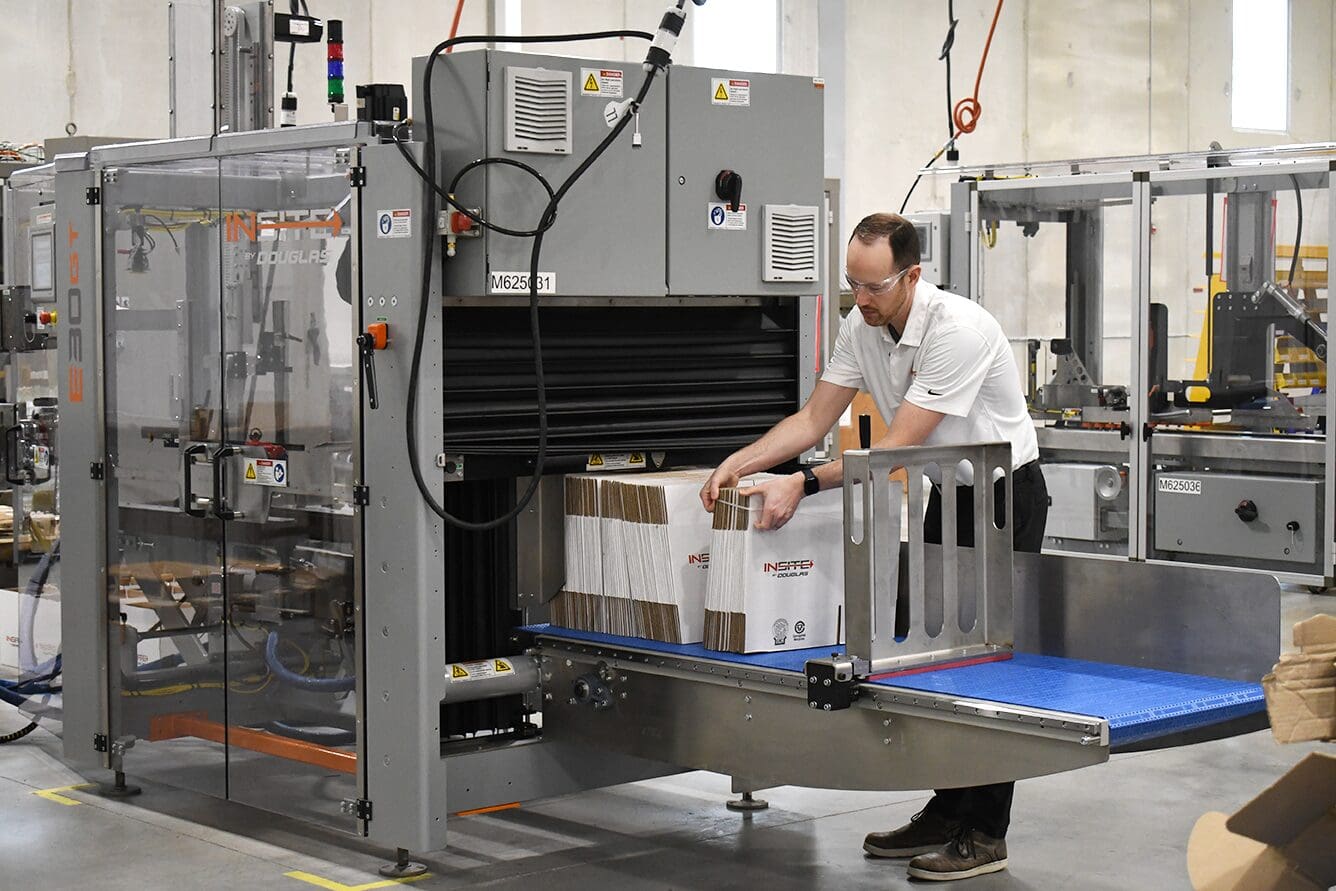
Introduction
If you’re running — or planning to install — an automatic case erector, one question matters more than most people realize:
Is your case left-hand or right-hand?
The answer determines which machine configuration you need. And while the concept is simple, the terminology often isn’t. Here’s the clear, no-nonsense way to determine it.
Two Simple Processes for Determining Case Hand
Process #1: You Have The KD Case In Your Physical Possession
A Regular Slotted Container (RSC) has two longer panels (length panels) and two shorter panels (width panels). When the case is in its collapsed, knocked-down form, you can see two panels facing you.
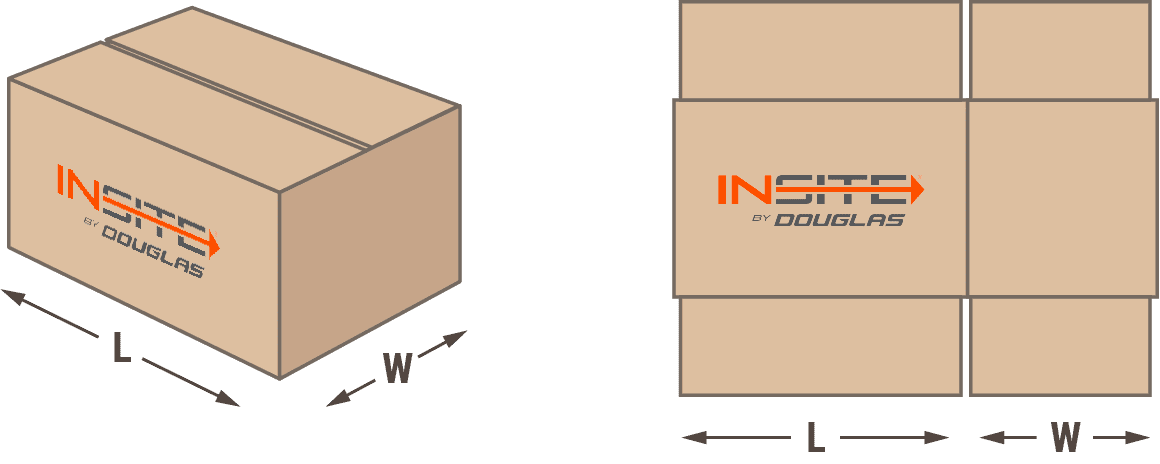
Determine case hand using the following steps:
Step 1: Hold the knocked-down case so the printed graphics are right-side up and right-reading.
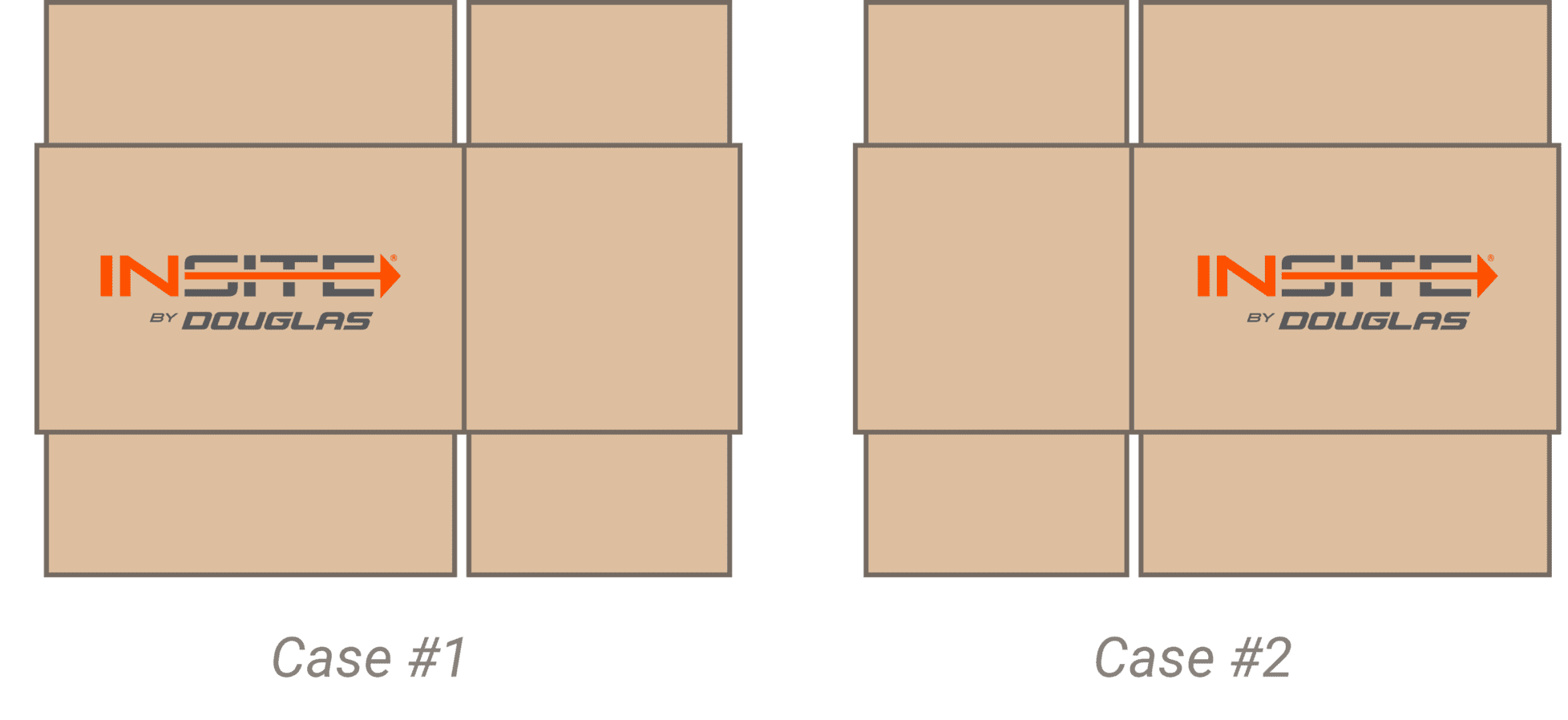
Step 2: Identify the larger of the two visible panels — this is the major (length) panel.
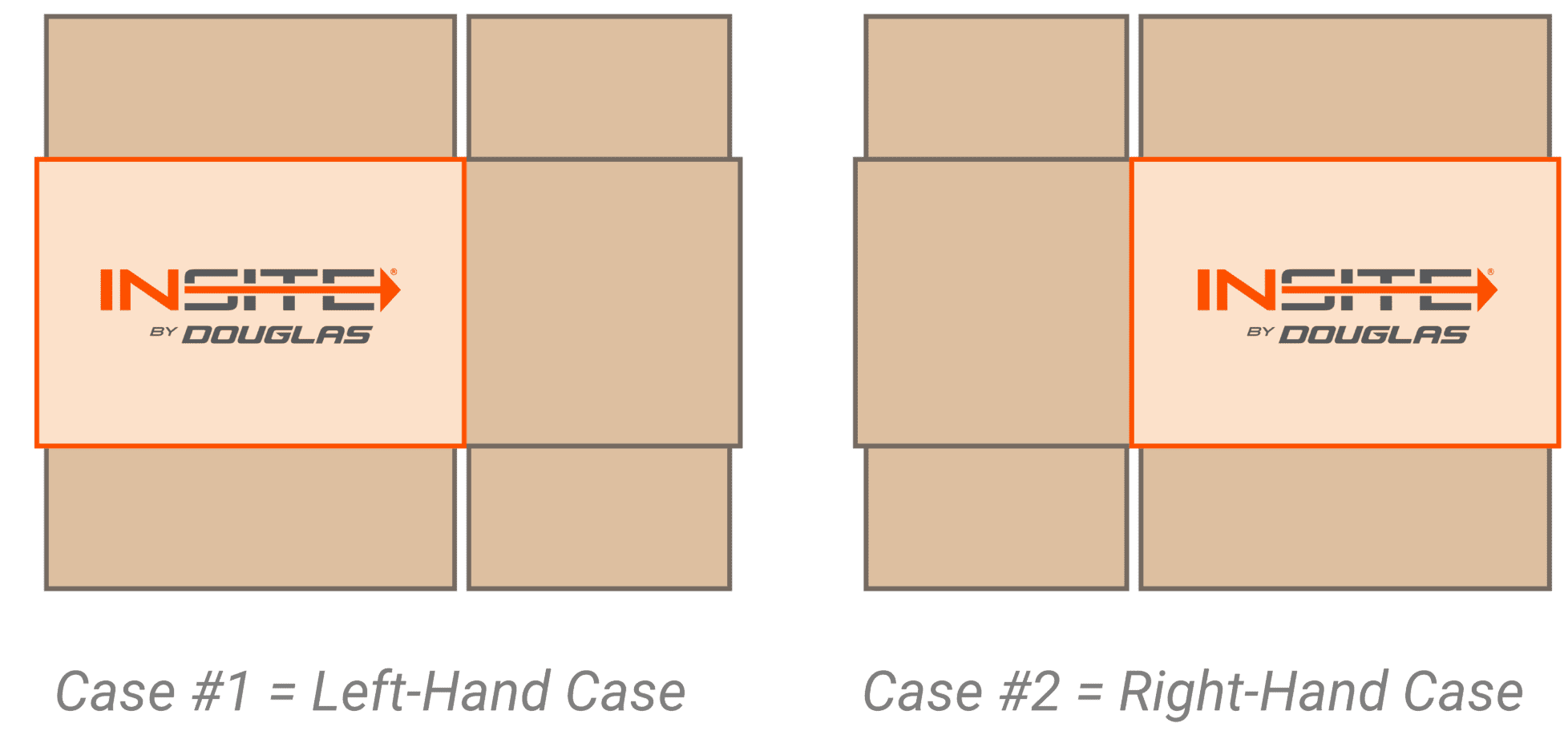
Step 3: Note which side that larger panel is on:
-
Major panel on the right → Right-hand case
-
Major panel on the left → Left-hand case
Process #2: You Have a Case Drawing or Print (But Not the Physical Case)
Determine case hand using the following steps:
Step 1: Identify the View
Determine whether the drawing shows the ‘inside’ or ‘outside’ (sometimes labeled the ‘printed’ side) view. This distinction matters because it changes the direction you must mentally fold the case.
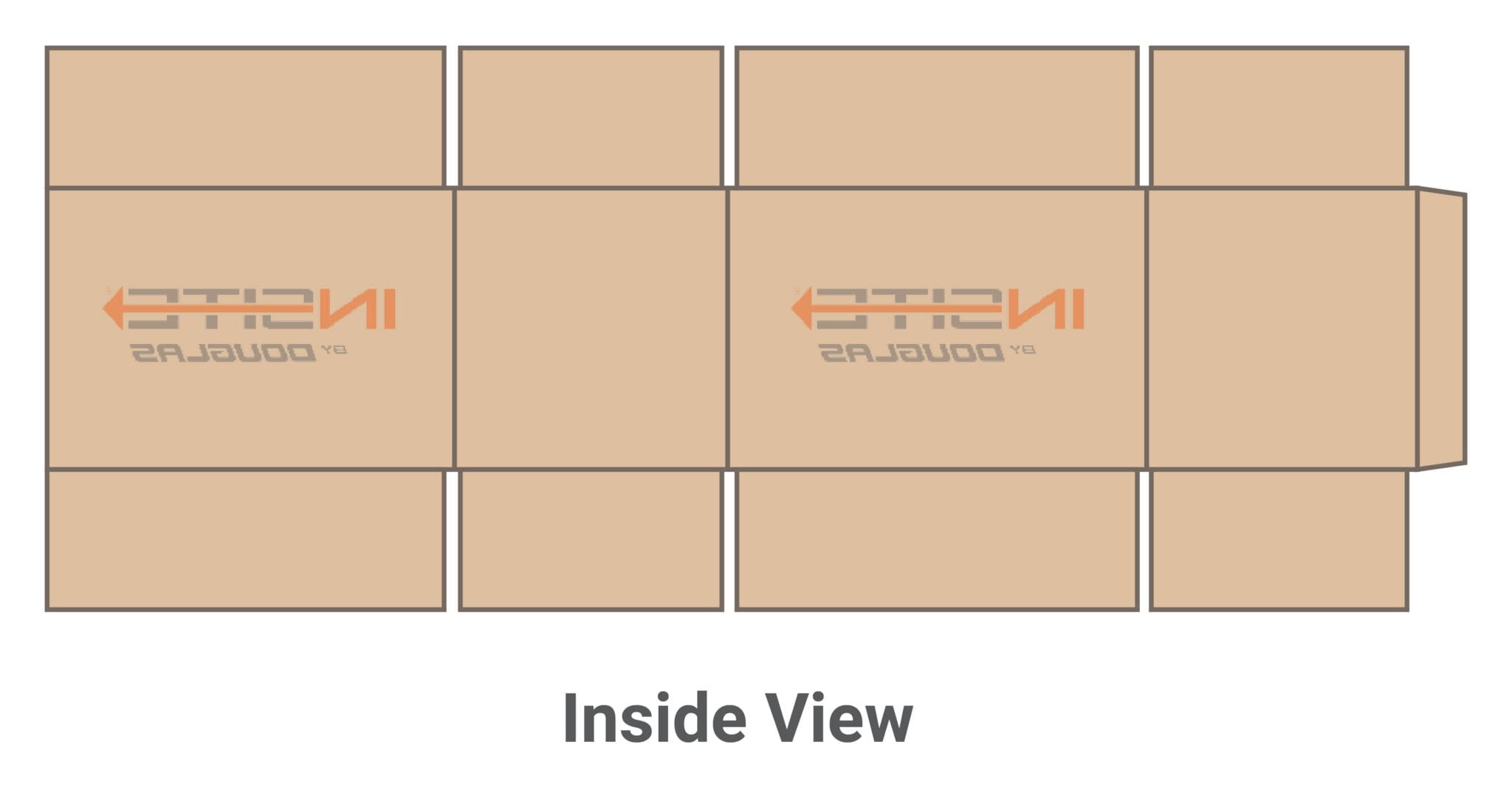
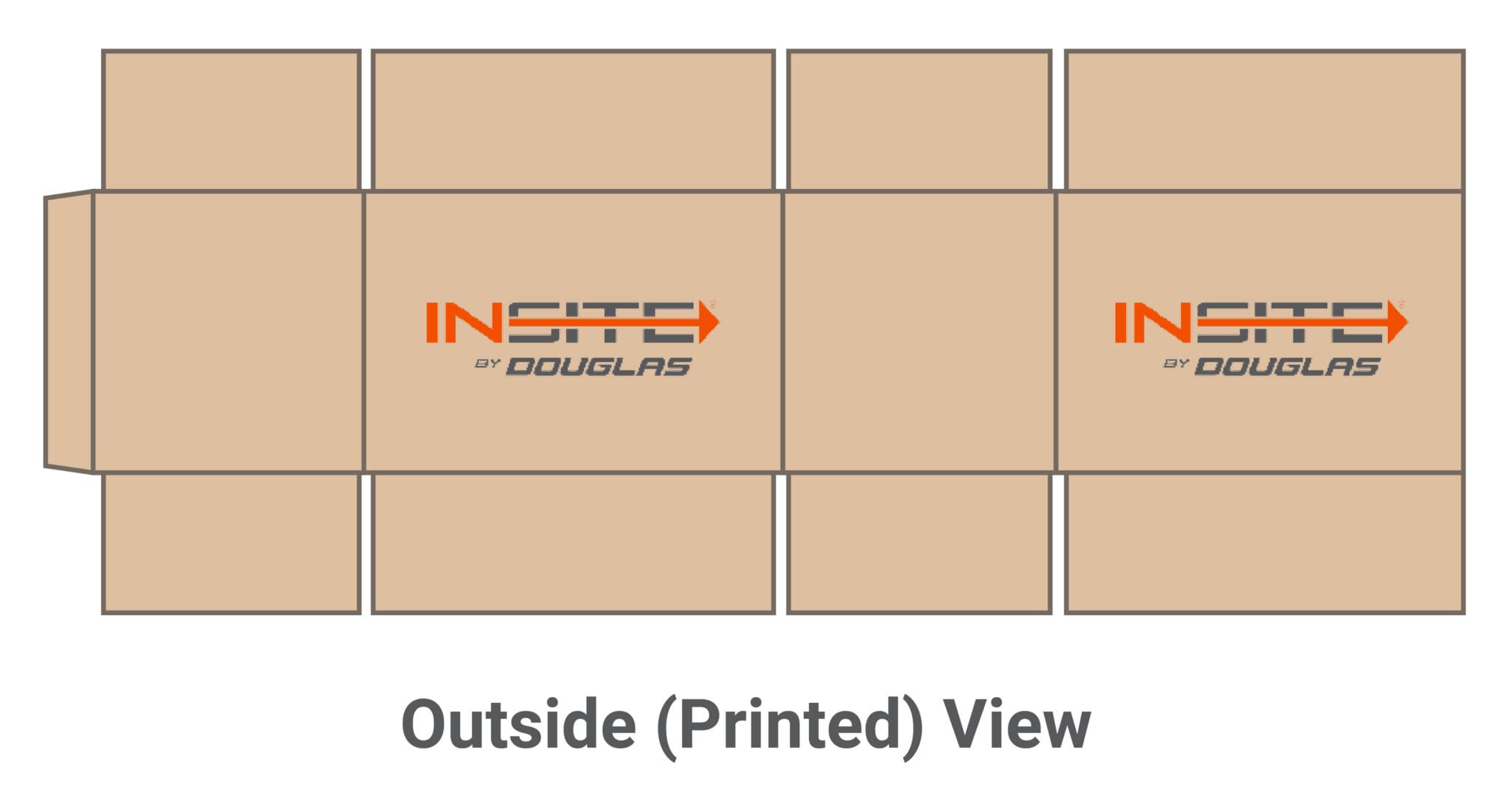
Step 2: Mentally Fold the End Panels
One end panel will be wider than the other, and one will have a ‘tab’ used to glue the Manufacturer’s Joint. (Note: the ‘tab’ can be on either the narrower or wider of the two end panels.)
Now imagine folding the two end panels as if the case were being folded onto itself so you could connect the ‘tab’ to the opposite panel. Which direction you fold the end panels will depend on which view you’re looking at:
-
If the drawing shows the inside view → Imagine folding the end panels toward you
-
If the drawing shows the outside (printed) view → Imagine folding the end panels away from you
When fully “folded” in your mind, you should see two panels facing you, one wider than the other.
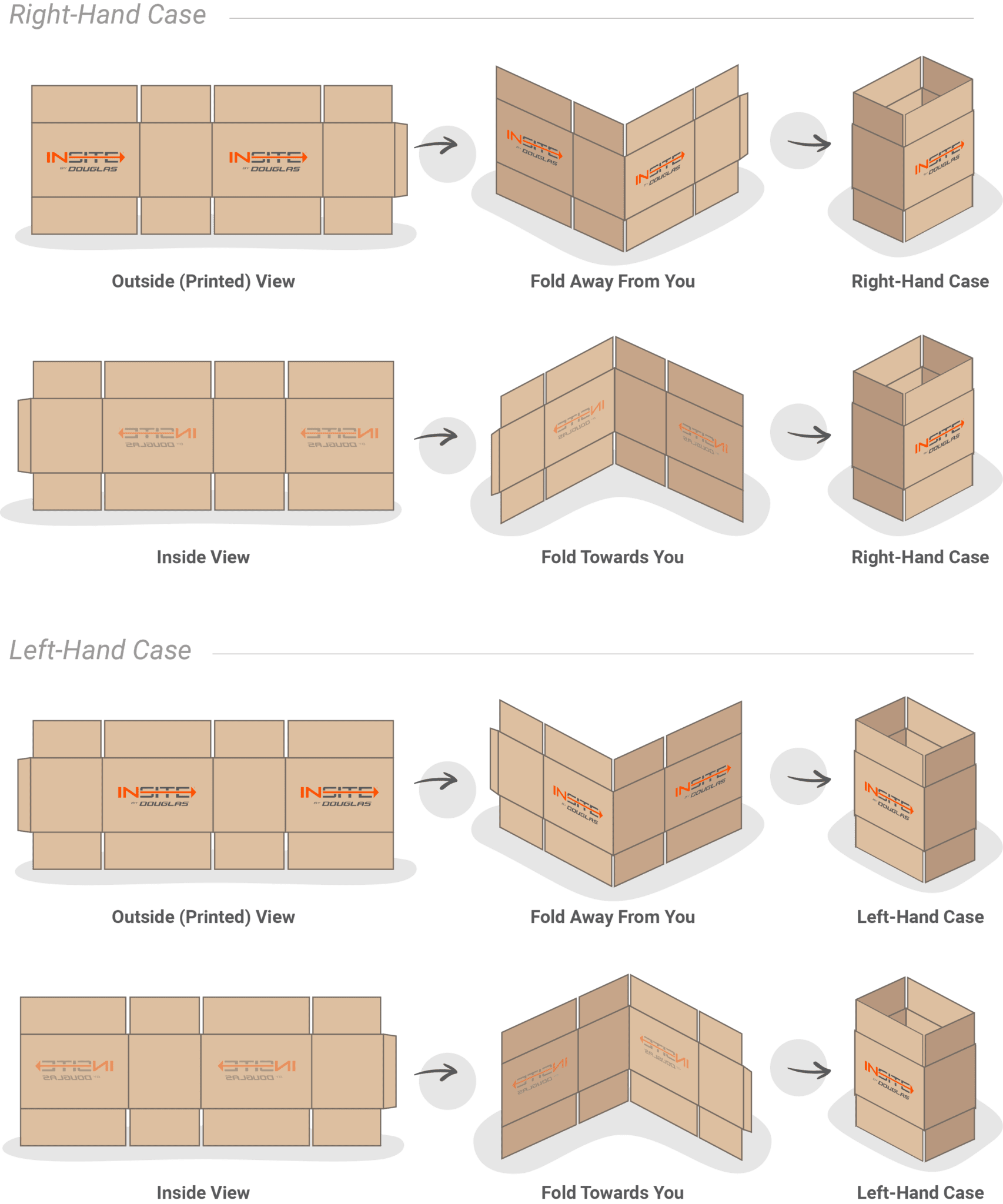
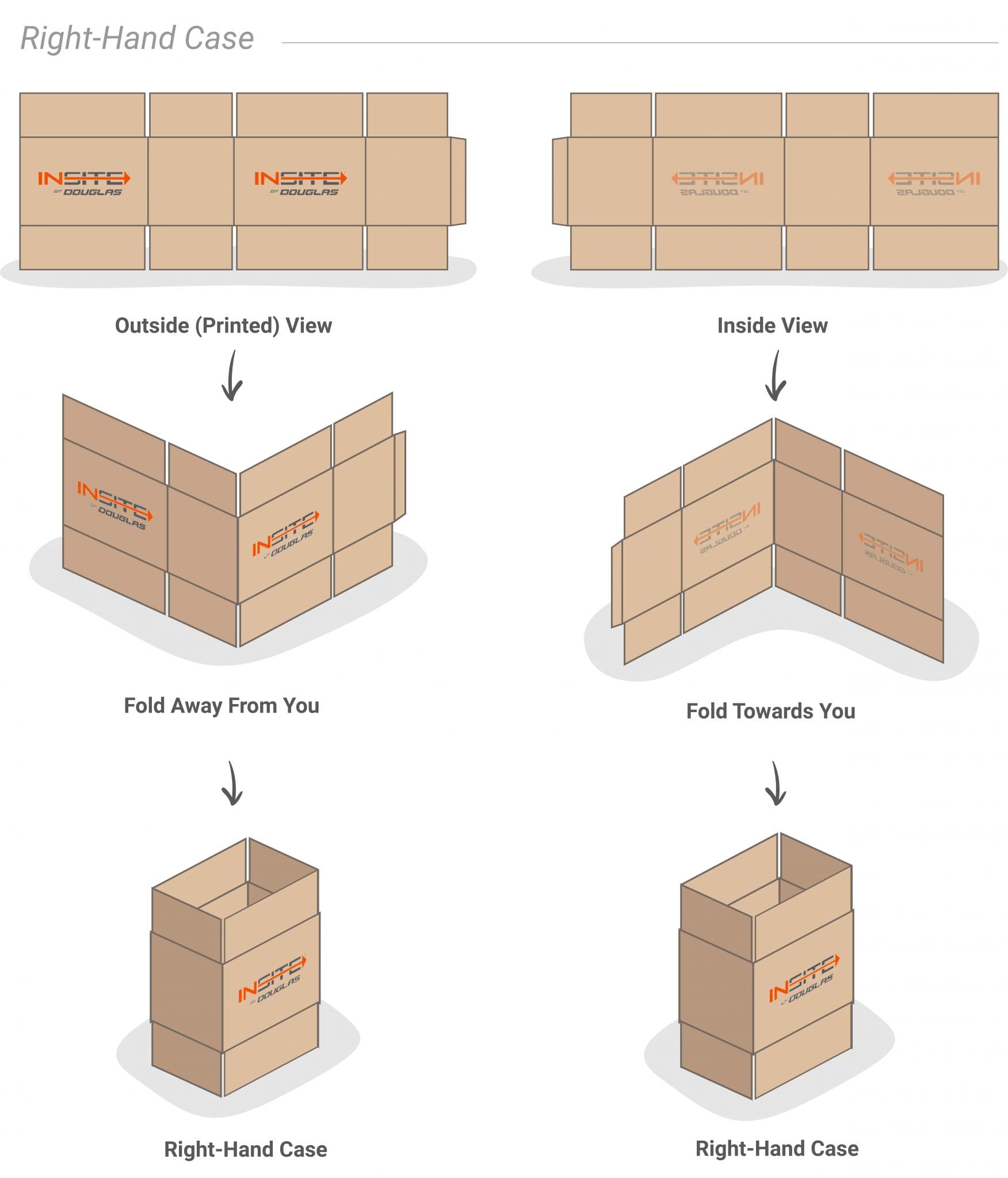
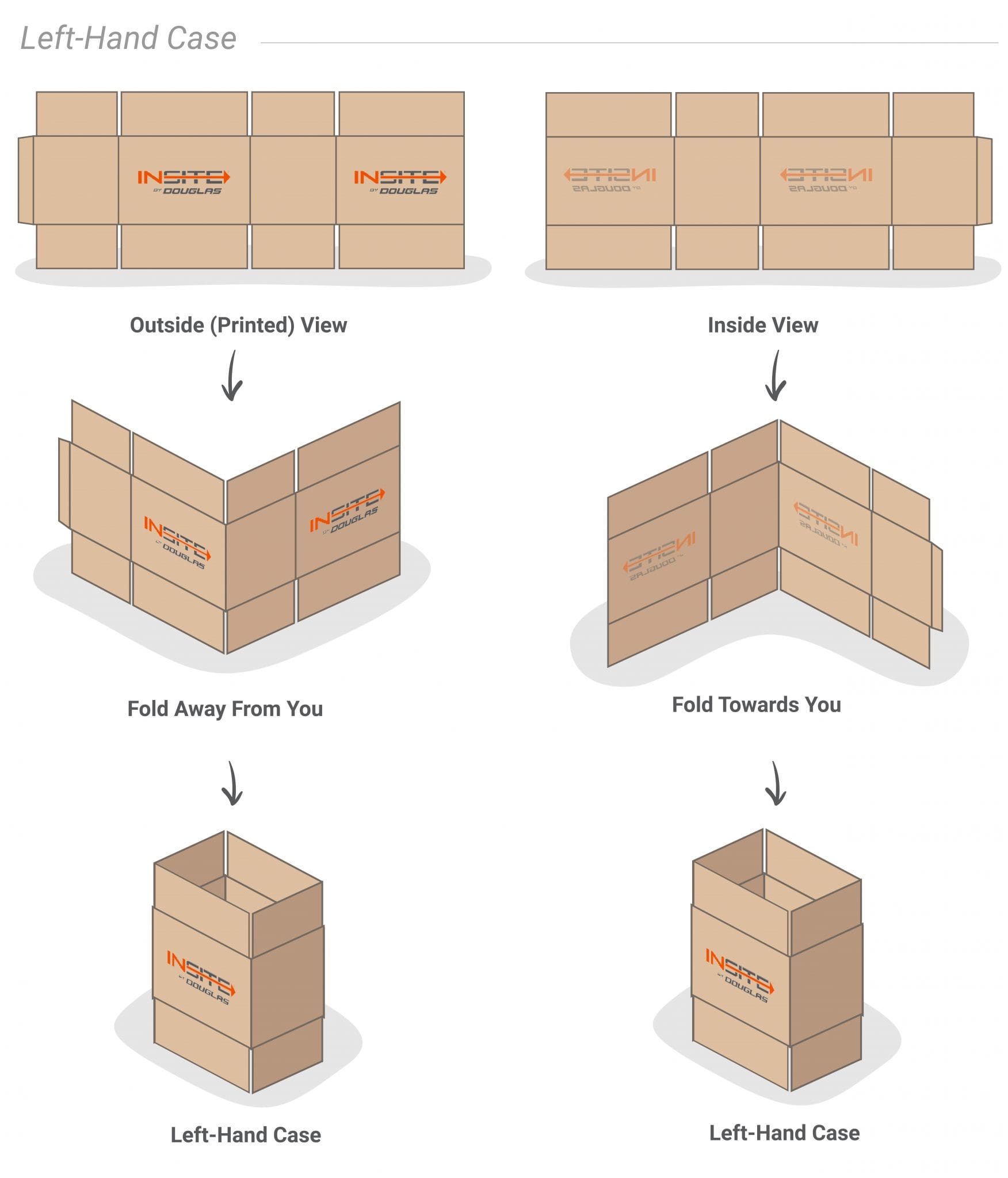
Step 3: Identify the Larger Panel
Once mentally folded:
-
If the larger (major) panel is on the right → Right-hand case
-
If the larger (major) panel is on the left → Left-hand case
Final Check
The direction of mental folding depends on the drawing view, but the rule for determining hand is always the same:
The position of the larger (major) panel after folding determines the case hand.
Right side = Right-hand case
Left side = Left-hand case
That’s it.
If the case is unprinted, use the box maker’s certificate or the corrugated manufacturer’s drawing to establish correct orientation before checking panel size.
Why Case Hand Matters
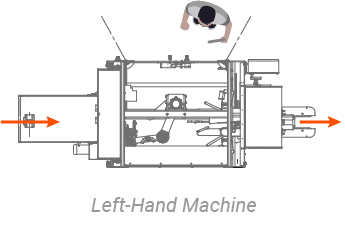
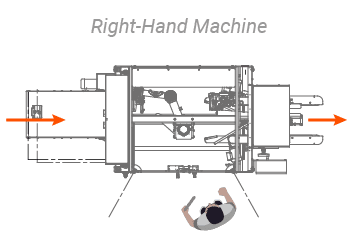
Case erectors are often built to open and square a case in one direction only. Most machines cannot run both orientations.
Usually, the case hand must match the machine hand, and vice versa.
Case hand selection is typically driven by operator access and overall line direction.
In most plants, the layout determines which side of the erector the operator will stand on and interact with. The case hand must align with that orientation.
For example, if cases travel from left to right and the plant layout requires the operator to access the machine from the right side, then a right-hand case is required to match that configuration.
If you specify the wrong orientation, the machine will not erect the case properly — and correcting it after fabrication can be costly.
The Safest Way to Confirm Case Hand (If You Have The Case In Your Possession)
To avoid mistakes:
-
Determine case ‘hand’ using the one of the two methods described above
-
Send a physical case sample to your equipment supplier
-
Provide the corrugated manufacturer’s drawing
-
Get written confirmation of machine configuration before build
If your facility is running mixed case hands, standardize them and work with your corrugated supplier to convert all cases to the machine’s required hand. Aligning to a single, consistent case hand eliminates setup conflicts, reduces changeover risk, and ensures compatibility with your erector configuration.
At INSITE, we perform a detailed case evaluation that has many beneficial outcomes, one of which is to verify case orientation. Still, final confirmation of case hand and orientation ultimately remains your responsibility.
Why There’s So Much Confusion
The packaging industry has never fully standardized case-hand terminology. Some manufacturers define orientation based on panel position, others based on machine flow direction.
As a result:
-
“Left-hand machine” may mean different things depending on the OEM.
-
Verbal descriptions are risky.
-
Even experienced professionals sometimes mislabel cases. This is why simply saying “we need a left-hand machine” or “we have a left-hand case” isn’t enough.
Getting Case Hand Right — The Final Answer
Case hand is one of those details that seems straightforward until it isn’t — and the cost of getting it wrong after a machine has been built or a lot of cases have been ordered can be significant.
The good news is that whether you have a case sample in your possession, or just a case drawing, you can follow one of the processes outlined above to know your case hand needs with certainty.
If you still have questions and need an expert to bounce them off, schedule a call – INSITE is here to help!
Need help evaluating case erectors?
Give INSITE a call to receive expert analysis and recommendations for your operation.